WPS Office Office suites
A free Writer, Spreadsheet, Presentation and PDF suite for Windows, Mac, Linux, iOS and Android, with a $69.99-a-year Pro+ tier for full PDF editing and AI tools. Subscriptions are non-refundable once bought.
Disclosure: this review contains affiliate links. If you buy through them we may earn a commission at no extra cost to you. It never changes a score. How we handle affiliate links.
A capable free office suite, as long as you read the subscription terms before paying
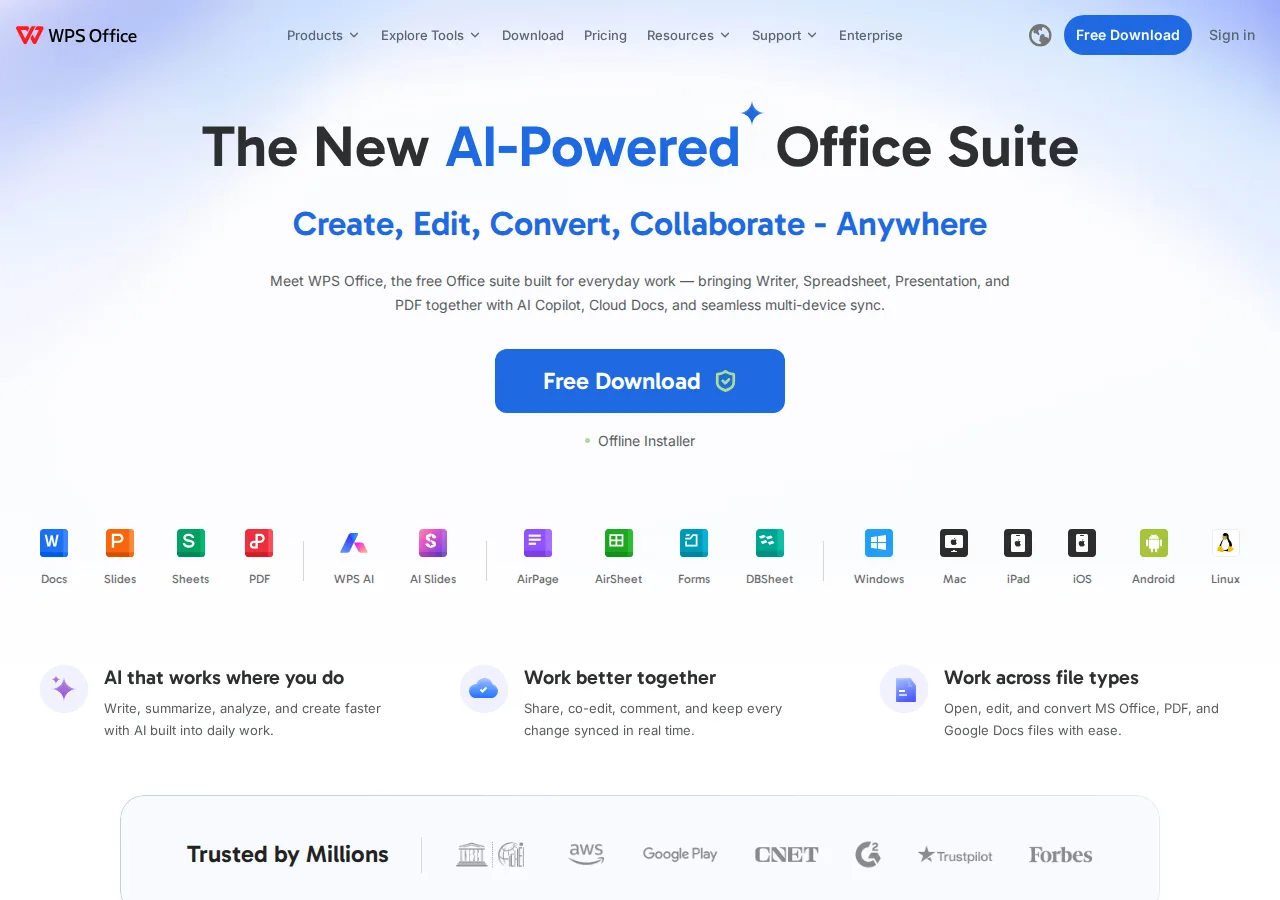
WPS Office is the flagship product of Kingsoft Office Software and bundles a word processor, spreadsheet, presentation tool and PDF tools in one application, with a free tier and a paid Pro+ subscription.
The appeal is simple. The free WPS Standard plan costs nothing, needs no credit card and covers 47 file formats, while Pro+ at $69.99 a year adds full PDF editing and conversion, text recognition, electronic signatures, 20 GB of cloud storage, no advertising and AI tools with daily limits. The catch is in the terms. WPS's own agreement says subscription payments are non-refundable, whether the subscription is used or not, and it only offers refunds for quality problems or where the law requires, at its own discretion. Cancelling stops future charges but does not return money already paid. If you are unsure, use the free plan first and buy Pro+ only for a feature you have confirmed you need.
Right for
- People who want a free Word, Excel and PowerPoint-style suite on desktop and phone
- Anyone who needs full PDF editing and signing at a modest yearly price
- Small groups or families who can split a Pro+ Sharing Plan
Wrong for
- Buyers who expect a refund if a paid plan does not suit them
- Anyone who wants unlimited AI use, since Pro+ AI tools have daily limits
- Users who need a lifetime licence for a business edition without a subscription
+What it gets right
- Free tier with the core apps. WPS Standard is listed as free with no credit card, with a free PDF reader, 1 GB of cloud space and support for 47 file formats and 46 languages.
- Wide platform coverage. The home page lists Windows, Mac, iPad, iOS, Android and Linux.
- Low entry price for Pro+. $5.83 a month, billed as $69.99 for the year, according to the pricing page.
- Sharing Plan. Two or more people can share Pro+ from $41.99 a year per user, each with private 20 GB storage, and the plan offers a 3-day free trial.
- Cancel any time. WPS's agreement says you keep access until the end of the paid period after cancelling, and you can cancel during a free trial to avoid charges.
- Mainstream payment options. The pricing page shows PayPal, Visa, Mastercard, American Express, Discover, UnionPay, Diners Club and JCB.
−Where it slips
- Subscriptions are non-refundable. The Auto-Renewal Service Agreement says there is no refund for any part of a subscription period, used or not, apart from discretionary refunds for quality issues or legal requirements.
- Full PDF editing is paid. The free plan offers basic PDF features and a reader; full editing, conversion and e-signatures sit in Pro+.
- AI is capped. Pro+ includes AI tools with a daily usage limit, after which they pause until the next day.
- Ad-free only on Pro+. 'No advertising' is listed as a Pro+ benefit; the free Standard plan does not carry that promise.
- Auto-renewal. The agreement says that if you do not cancel, WPS may keep attempting to charge for the next billing period.
- Device cap and licence-key limit. One Pro+ account works on up to 9 devices (3 PCs and 6 mobile devices), and licence keys can only be used on Windows PCs.
Weighted for plan value, platform coverage and how clear the terms are
This is a desk-research score built from WPS's own published plan, FAQ and agreement pages. We have not used WPS Office ourselves and no independent lab results are included.
The long version
What WPS Office is, what the free and paid plans include, how the trial and refunds work, and how to choose.
What WPS Office is
WPS Office is made by Kingsoft Office Software, which describes itself on its About page as founded in 1988 and listed on the Forbes Global 2000. The suite offers Writer, Spreadsheet, Presentation and PDF tools. The home page also lists AI Slides, AirPage, AirSheet, Forms and DBSheet, together with an AI Copilot, cloud documents and multi-device sync.
WPS pitches the suite as a Microsoft Office alternative that opens, edits and converts MS Office, PDF and Google Docs files. Its pricing page lists 47 supported file formats. We treat compatibility claims as WPS's own statements.
Free plan versus Pro+
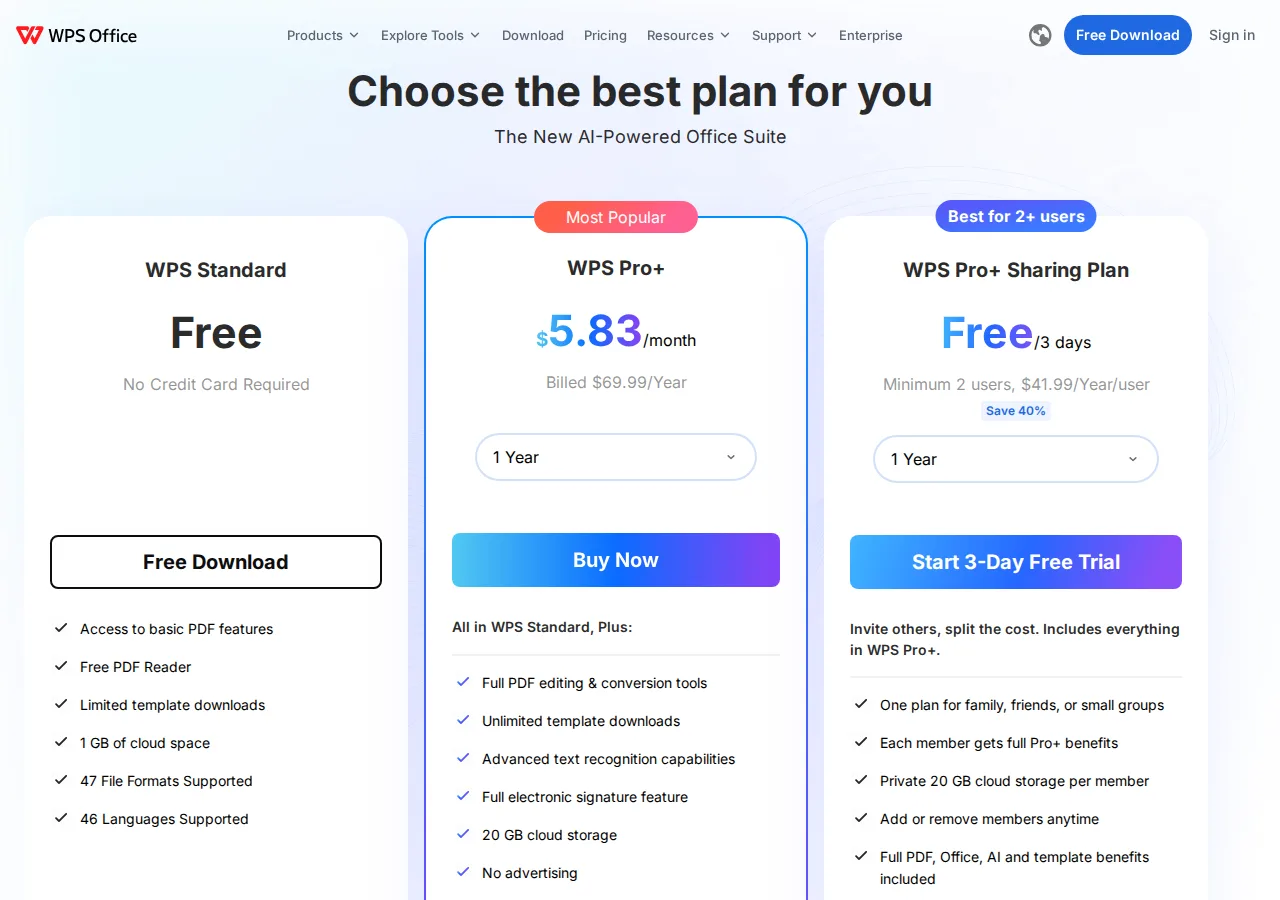
WPS Standard (free, no credit card). Access to basic PDF features, a free PDF reader, limited template downloads, 1 GB of cloud space, 47 file formats and 46 languages.
WPS Pro+ ($5.83 a month, billed $69.99 a year). Everything in Standard plus full PDF editing and conversion tools, unlimited template downloads, advanced text recognition, a full electronic signature feature, 20 GB of cloud storage, no advertising and essential AI tools with usage limits. The comparison table lists the AI tools as spell check, translator, AI photo, AI slides, chat with PDF, AI summarizer, content generator and rewrite, all with a daily limit that resets the next day.
Pro+ Sharing Plan ($41.99 a year per user, minimum 2 users). Priced at what WPS labels a 40% saving, it includes everything in Pro+, private 20 GB storage per member, and members can be added or removed at any time. It carries a 3-day free trial.
WPS notes that the listed prices apply to PC and Android.
PDF tools
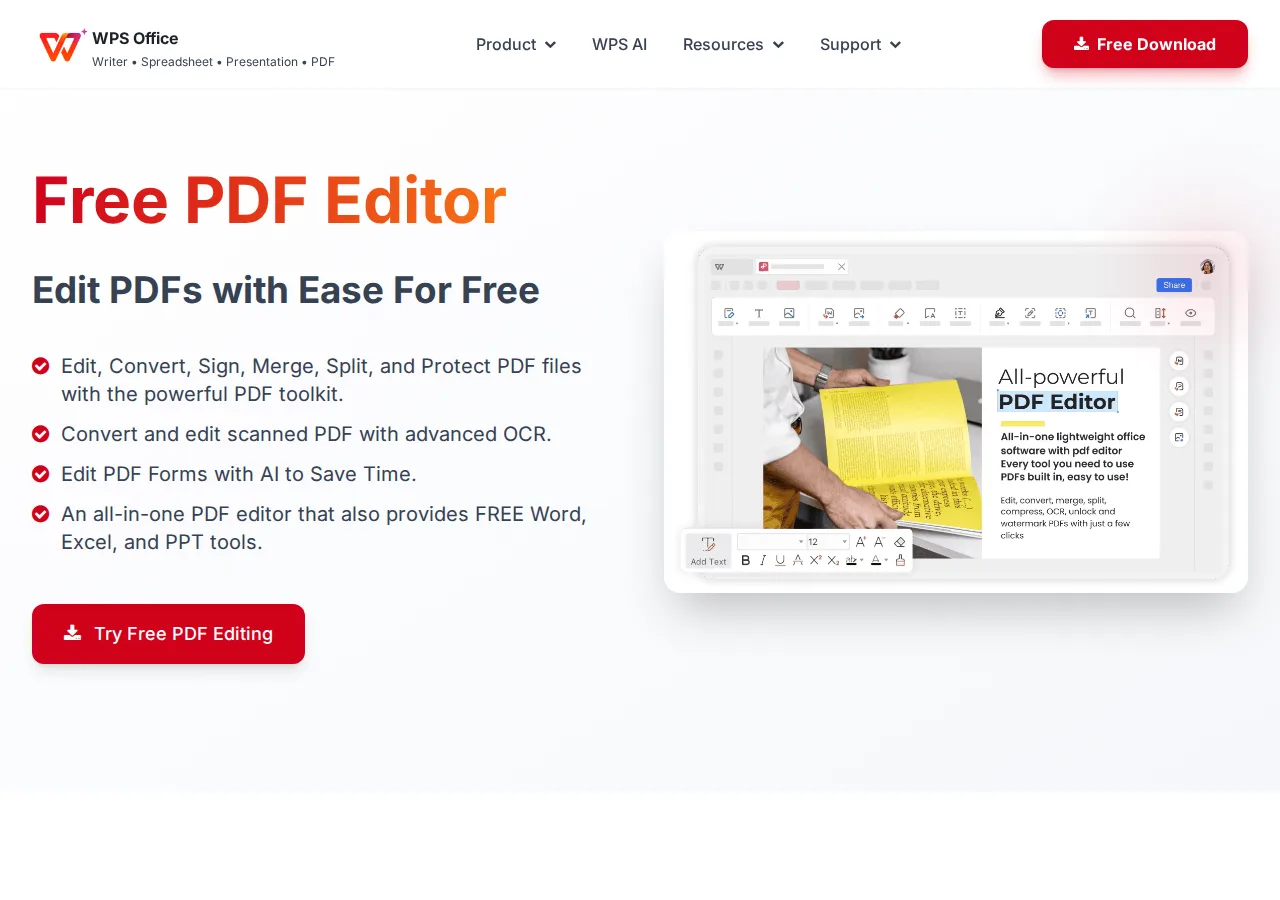
WPS's PDF editor page promises editing, converting, signing, merging, splitting and protecting PDFs, OCR for scanned files and AI help with PDF forms. Because the pricing page puts full PDF editing and conversion under Pro+, it is worth checking which specific PDF task you need and whether it is free before paying.
Trial, cancellation and refunds
- Trial. WPS's FAQ says new Pro+ subscribers can try the premium benefits for free, that the trial length depends on the plan bought, and that people who have subscribed before cannot get a trial. The Sharing Plan is shown with a 3-day trial.
- Trial billing. When the trial ends you need to pay; the FAQ says you can cancel any time during the trial period, and the agreement says you must cancel before the end of the free trial or current billing period to avoid charges.
- Cancellation. Steps depend on how you paid; the agreement uses Google Play as an example. After cancelling you keep access to the end of the current subscription period.
- Refunds, subscriptions. 'Payments are non-refundable. There is no refund for any part or all of subscription period whether it is used or not.' WPS may give a full or partial refund at its sole discretion for a quality issue or where the law requires.
- Refunds, activation-code licences. Products activated by code, such as the business edition lifetime licence, are refundable in full within 30 days of purchase and not after.
- Devices. One Pro+ account can be signed in on up to 9 devices: 3 PCs and 6 mobile devices.
- Support. The FAQ directs payment, trial and invoice questions to [email protected], and a Subscription Center on wps.com shows order details.
How to choose a plan
Start with the free download and test your real documents: open the Word, Excel and PowerPoint files you actually use and check how they look. Pay only if you hit a specific wall, such as editing the text in a PDF, signing documents, needing more than 1 GB of cloud space or wanting adverts gone.
For one person, Pro+ at $69.99 a year works out at $5.83 a month, but it bills yearly, so the full amount is charged upfront. Because refunds are not offered for subscriptions, treat that as a commitment. If two or more people need Pro+, the Sharing Plan at $41.99 a year per user is cheaper per head, and the 3-day trial lets you check the features at no charge; set a reminder to cancel before it ends if you do not want to continue.
Check your devices too. The listed prices apply to PC and Android, you can use up to 9 devices on one Pro+ account, and licence keys only work on Windows PCs. Buy through the official site, and use your WPS account's Subscription Center to confirm the renewal date.
Everything on paper
Figures from wps.com home, pricing, About and agreement pages, checked 2 Nov 2026.
Prices are in US dollars as shown on wps.com and may differ by region, platform and promotion. Check the pricing page and the Auto-Renewal Service Agreement before paying.
The three plans compared
Prices are from wps.com/pricing in US dollars on 2 Nov 2026.
| Plan | Price | What it offers | Notes |
|---|---|---|---|
| WPS Standard | Free | Core apps, basic PDF features, free PDF reader, 1 GB cloud | No credit card required |
| WPS Pro+ | $69.99/year ($5.83/month) | Full PDF editing and conversion, OCR, e-signature, 20 GB, no advertising, limited AI | Non-refundable subscription |
| Pro+ Sharing Plan | $41.99/year per user (min. 2) | Everything in Pro+, private 20 GB per member | 3-day free trial |
Choose Standard to try the suite, Pro+ if you are one person who needs PDF editing and no ads, and the Sharing Plan if at least two people will use it.
Questions people actually ask
Is WPS Office free?
How much is WPS Pro+?
Can I get a refund on a WPS subscription?
Is there a free trial?
Which devices does WPS Office run on?
Is WPS Office available outside the US?
Visit WPS Office
Try the free plan first, then pay only for a feature you have confirmed you need. Subscriptions are not refundable.
WPS Office
Free download, Pro+ from $69.99 a year and a Sharing Plan with a 3-day trial.
Visit WPS OfficeWPS Pro+
$5.83 a month billed yearly, with PDF editing, OCR, e-signature and no advertising.
Check prices at WPSPro+ Sharing Plan
$41.99 a year per user, minimum 2 users, with a 3-day trial.
Check prices at WPSPrices observed 2 Nov 2026 and subject to change. This is an affiliate link.
A useful free suite with a paid tier that is cheap but final
WPS Office gives you the core office apps free on six platforms, and Pro+ at $69.99 a year adds the PDF and storage features many people actually want. The free tier is the safest place to begin.
The things to weigh are the non-refundable subscription, the automatic renewal, ad-free use only on Pro+ and the daily cap on AI tools. If you want a refundable plan or unlimited AI, look elsewhere.
Consider it if you
- You want a free, multi-platform office suite to try on your own files
- You need full PDF editing and are comfortable with a yearly commitment
- You will set a reminder to cancel if you use a trial
Skip it if you
- You expect to be able to claim a refund on a subscription
- You want unlimited AI generation
- You dislike adverts in free software
How this review was put together
This is a desk-research review. We have not used WPS Office. Plans, prices, features and policies come from wps.com pages we read in full on 2 Nov 2026: the home page, pricing page with FAQ, About page, the Auto-Renewal Service Agreement and the PDF editor page. We wrote our own text. The images are our own screenshots of public wps.com pages, taken on 2 Nov 2026 and shown for review and commentary; the content and branding belong to WPS Office, and we will remove them if asked.
Related on Alpha Source:
- Wondershare review
- Emergent review
- More software and AI reviews
- How we review and score brands
- Our affiliate disclosure
Alpha Source is independent and is not affiliated with, sponsored or endorsed by WPS Office. The link to WPS Office is an affiliate link: if you buy through it we may earn a commission at no extra cost to you, and this never changes a score. We did not receive payment or a free product for this review.